|
StepperII
Dual Axis Stepper Controller
|
|
StepperII
Dual Axis Stepper Controller
|
The reset button on the StepperII front panel provides a "Panic Button" to stop the stepper motors. This button is tied directly to the reset line on the two stepper controller boards. After reset, the controller boards jump to a boot loader and the USB connection is passed to the Teensy Loader application. To leave this mode, one must click the "go" button on the Teensy Loader application, as shown below. Another method to reset the controller boards is to unplug the USB cable, which causes a power reset. In this case, the StepperII code will run when power is restored.
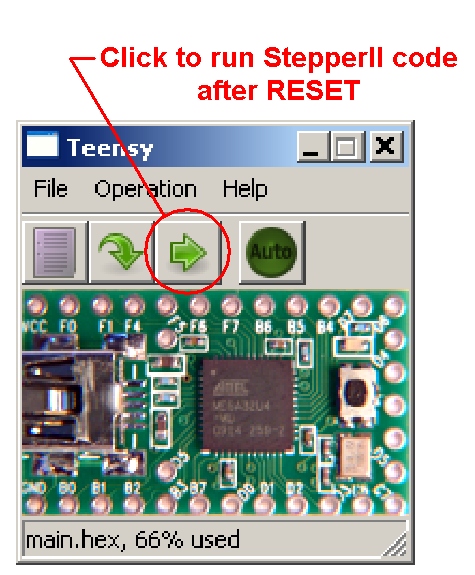
Resetting StepperII
 1.7.3
1.7.3

